December 25th, 2025
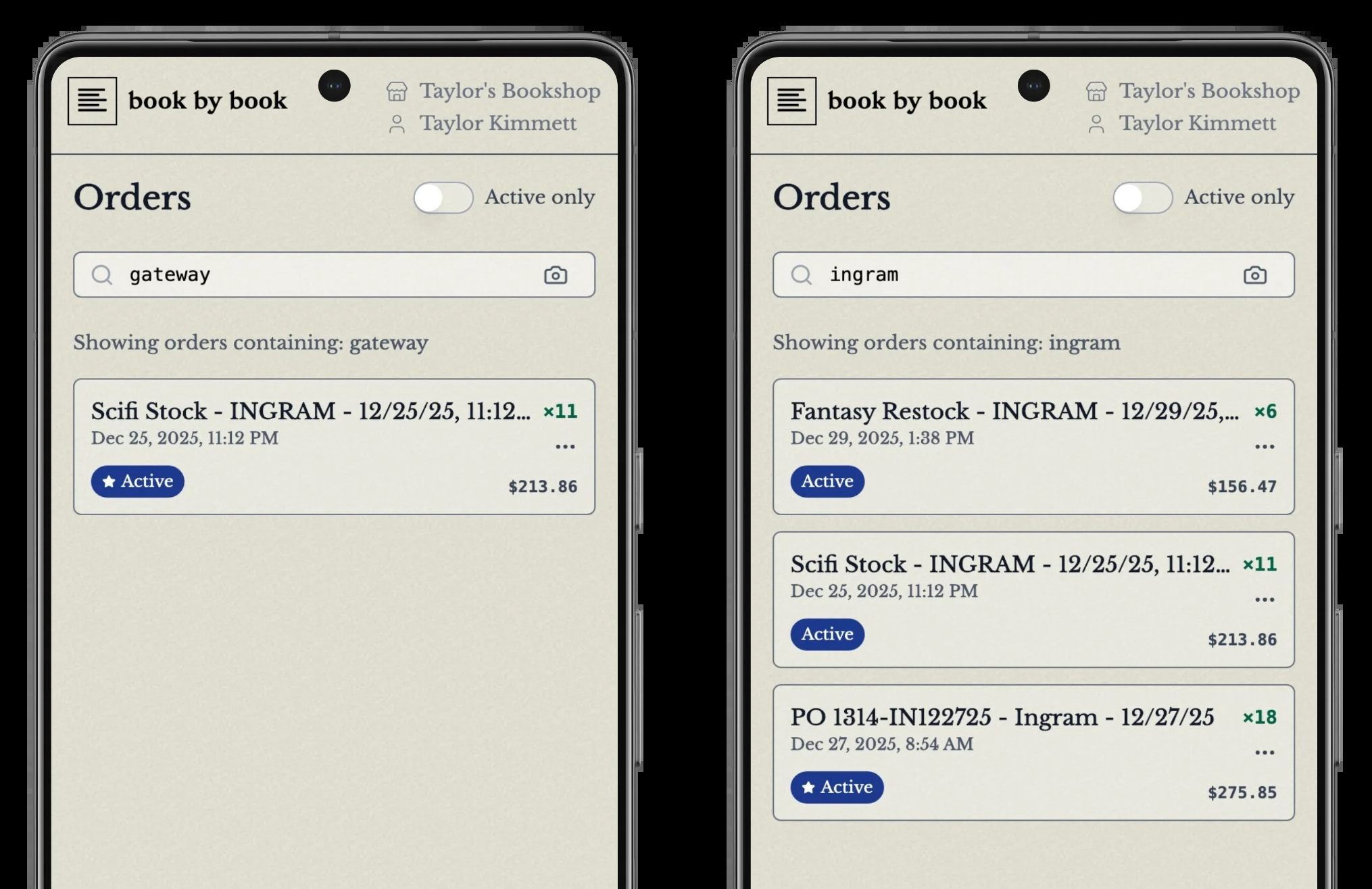
Smart order search
We're excited to introduce Order Search, a powerful new feature that makes finding and managing your book orders effortless.
What's New
You can now search through all your orders instantly using multiple methods:
Search by book title - Find orders containing specific books
Search by author name - Locate all orders with books by a particular author
Search by ISBN - Jump straight to orders containing a specific ISBN
Search by order name - Find orders by their custom names
Scan to search - Use your device camera to scan an ISBN barcode and find related orders
How It Works
Finding Orders by Book Content
The most powerful aspect of order search is the ability to search inside your orders. Looking for all orders that include books by a specific author? Just type their name. Need to find which order contains a particular title? Search for it directly.
Example scenarios:
Search for "Colleen Hoover" to see all orders containing her books
Search for "Fourth Wing" to find which orders include this title
Scan an ISBN barcode to instantly see if that book is in any pending orders
Finding Orders by Name
Every order has a name (either one you've assigned or an auto-generated one based on the order source). You can search by these names too.
Example:
Search for "Spring 2024" to find all orders you've labeled with that term
Search for "Ingram" to find orders imported from Ingram
Smart Search
The search is intelligent and flexible:
Partial matches work - Searching "fourth" will find "Fourth Wing"
Case doesn't matter - "COLLEEN HOOVER" and "colleen hoover" both work
ISBN formats supported - Works with both ISBN-10 and ISBN-13
How to Use It
Navigate to your Orders page - Click "Orders" in the main navigation or search straight from the dashboard
Enter your search - Type in the search bar at the top of the page, or click the camera icon to scan an ISBN
View results instantly - Your matching orders appear immediately
Click to open - Select any order to view its details and continue scanning
Tips
Active orders only - Toggle "Active only" to filter your search to unprocessed orders
Clear your search - Delete your search text to return to viewing all orders
Quick ISBN lookup - The fastest way to check if a book is in an order is to scan its barcode
Why it matters
Without order search, it can be time consuming or impossible to find a single order among many. Now you can:
Save time - Find orders in seconds instead of minutes
Reduce errors - Quickly verify if you've already ordered a book before placing a duplicate order
Better workflow - Use the camera scanner to check incoming shipments against your orders
Stay organized - Easily locate orders by author, title, or name even with hundreds of orders in the system
Ready to try it? Head to your Orders page and start searching! As always, let us know if you have any feedback or suggestions to improve your workflow.