March 29th, 2026
New
Vendor Tracking and Cost Calculation
There’s now a more complete vendor tracking workflow for incoming books, with vendor-specific discount settings, smarter cost calculations, and better tools for assigning vendors during order review.
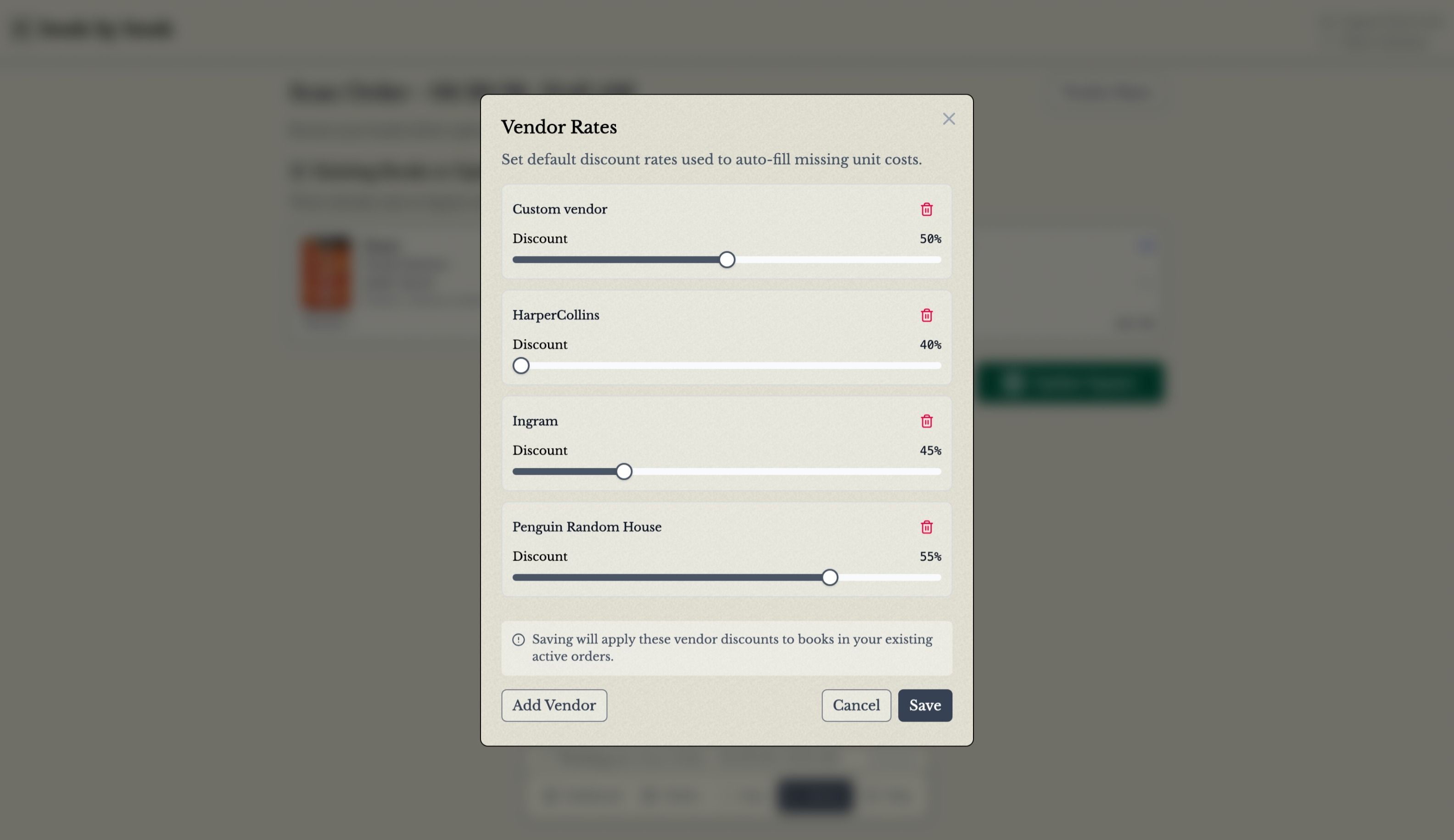
You can now save discount rates for your vendors at the organization level and use them to automatically calculate unit costs from MSRP when a book has a matching vendor. We have a broad selection of common book vendors and publishers to choose from, or you can add your own. When you import orders, new vendors can be added to your saved settings automatically, with discount rates inferred from imported pricing when possible.
Order review is also faster. While reviewing an order, you can assign a vendor to a title, apply that vendor to other books in the order that do not have one yet, and use your saved vendor rates to help fill in missing costs.
For example:
From Order Review, open the Vendor Rates dialog to review or update your saved vendor discount settings.

In the Vendor Rates dialog, add or edit vendors and their discount rates. This is also where you can create custom vendors.

After saving your vendor rates, open a book in the order.
Choose a vendor from your saved vendor list to automatically apply.
If other books in the order do not have a vendor yet, you can apply that same vendor to them in one step.

Your saved vendor rates will be used to help fill in unit costs during review.
As always, let us know if you have questions or feedback!